Help / Dashboard and groups
Arranging the dashboard
Drag services and groups, undo, and add services from search.
On the dashboard, every service and every group has a handle with six dots. There is no special mode: drag by the handle and the others move aside to show where it will land.
- Drag a service by its handle to another position or another group.
- Drag the handle next to a group name to reorder groups.
- Made a mistake? Press Undo in the notice that appears at the bottom.
- To add a new service, type its name in the Add a service box and drag the result into the group.
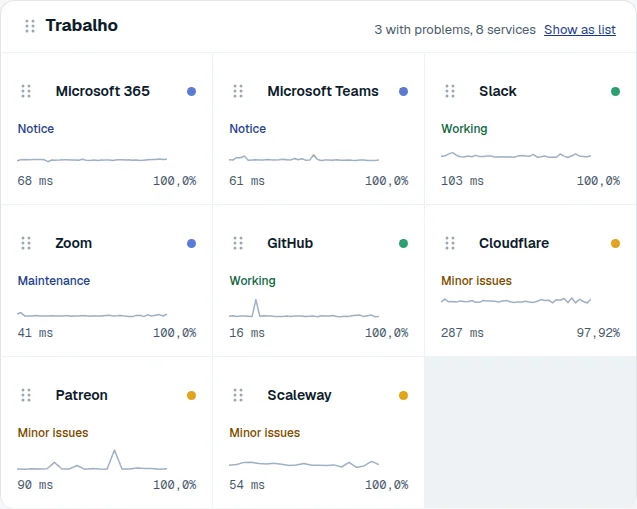
- Group handle: drag to reorder groups.
- Service handle: drag to another place or group.
- Show as a list or as tiles.
With the keyboard
Tab to the handle, press Space to pick up, use the arrow keys to move and Space again to drop. Escape cancels.
Still stuck?