Help / Dashboard and groups
Creating and editing groups
Organise services by team, client or product.
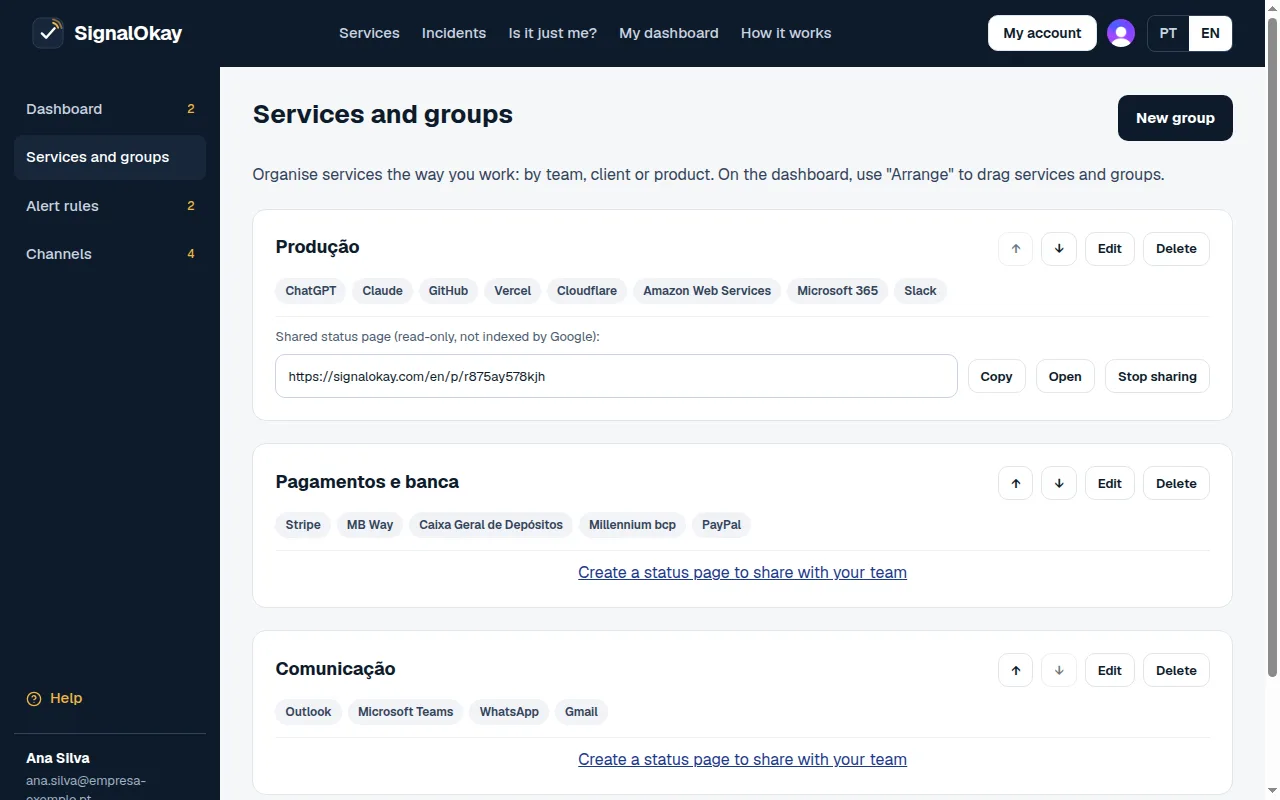
- Create a new group.
- Move up, move down, edit or delete the group.
- Create a shareable status page.
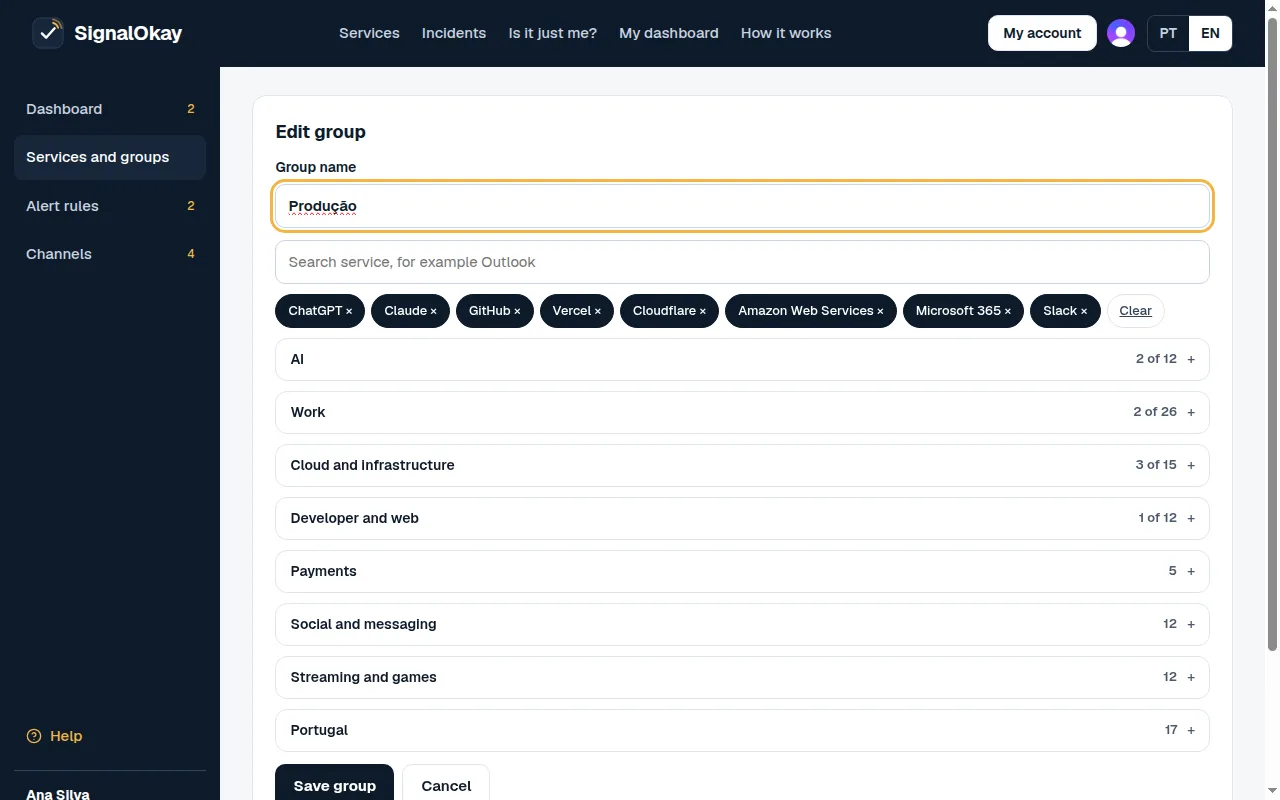
- Group name.
- Search by name, company or words like bank or email.
- Selected ones. Tap one to remove it.
- Categories. Open one and use Select all.
Still stuck?